VideLyy
- 3.8
- Rating
- 500.00K
- Installs
- Free
- Price

 Analysis by App-foxy
I approached VideLyy as a straightforward video player rather than expecting it to replace a full editing suite or a major streaming platform. That distinction matters. Its central promise is simple: help me watch video in HD quality, with as little setup as possible. After spending time with it, I see the appeal for people who want a focused viewing app, but I also think its value depends heavily on how much control and transparency you expect from a modern media tool.
VideLyy is a free app in the Video Players & Editors category, developed by TIMD IT LTD. It is aimed at Teen users and runs on Android 8.0 or later. The current version is 1.9.2, and the app has passed the half-million-install mark. Those details suggest that it is accessible to a broad range of Android phones, including devices that are no longer new, although compatibility alone does not guarantee the same smooth experience on every handset.
How VideLyy fits into everyday video watching
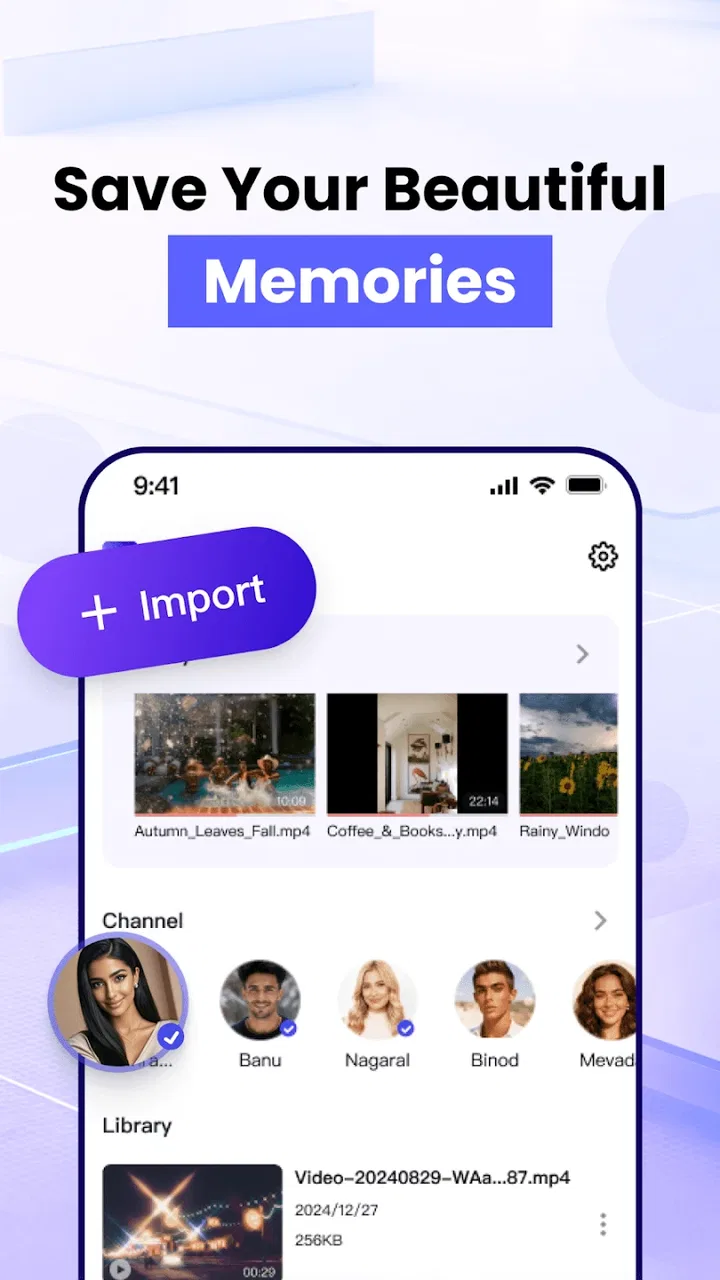
My first impression is that VideLyy makes more sense as a practical viewing companion than as an app for people who want a long list of advanced tools. The store summary focuses on HD playback, and that focus is useful because it sets a clear expectation. I would consider it when I have videos on my phone and want to watch them in a dedicated player instead of opening them through a file manager or relying on whichever default app came with the device.
You May Also Like

 Blood Strike: 2.5 Anniversary
Blood Strike’s Loadouts Turn Every Drop Into a Tactical Gamble
A close look at Blood Strike’s custom loadouts: how fast access to signature weapons reshapes its battle royale rhythm, rewards preparation, and narrows the gap between fights.

 Pandora - Music & Podcasts
Pandora’s Music Is Easy to Start, but Harder to Recover
Pandora’s strength is its low-effort path from a seed to a station. Its weak spot is how much confidence it asks you to place in connection, setup, and quiet recovery.

 8 Ball Pool
 Is Built on Rivalries, Rematches, and Routine
A close look at the rivalries, rematches, shared routines, and unanswered safety questions that turn a quick pool match into a persistent mobile community.

 Samsung Music
’s Quiet Strength Is Playing What You Already Own
Its reach comes less from spectacle than from dependable access to a personal library. That simplicity is both the app’s strongest retention engine and its ceiling.

 AccuWeather: Weather Radar
AccuWeather Review: A Quick, Clear Forecast for Everyday Decisions
For everyday plans, the best forecast is the one you can understand quickly. AccuWeather makes rain timing, radar, and local conditions easy to act on, with a few trade-offs.

 Hill Climb Racing
Why Hill Climb Racing Still Turns Crashes Into One More Run
A tiny car, a bumpy hill and one more upgrade: Hill Climb Racing keeps resurfacing because its simple chaos makes every near-miss feel personal.
More From Our News Desk
View All News


A realistic example is watching downloaded clips during a commute. I might receive several videos through messaging, save them locally, and then use VideLyy to view them one after another. In that situation, a dedicated player can feel cleaner than jumping between chat threads, gallery folders, and different apps. It also gives me a single place to test playback when a file does not behave properly in the phone’s built-in viewer.
That does not mean it is automatically the best choice for every video habit. If most of my viewing happens inside YouTube, a subscription service, or a social network, VideLyy does not remove the need for those platforms. It is more relevant for local or directly accessible video content than for a catalog-driven streaming experience. Someone looking for recommendations, subscriptions, creator discovery, or synchronized watch history should probably stay with the service built around those functions.
What the HD focus means in practice
HD support is useful, but I would not treat the phrase as a guarantee that every file will suddenly look sharper. A player can display the quality available in the video; it cannot restore detail that was never recorded or that was compressed away. The practical benefit is greatest when the source file already has decent resolution and the phone screen is capable of showing that detail.
I also found that the source file matters more than many new users expect. A large video may still look soft if it was poorly encoded, while a smaller file can look perfectly acceptable for casual viewing. For that reason, I would judge VideLyy by whether it handles my existing library comfortably rather than by assuming that the HD wording changes the quality of every clip.
One useful habit is to compare the same file in the phone’s default player and in VideLyy under identical brightness and display settings. That gives a more honest impression than switching between unrelated videos. It can also reveal whether a problem comes from the file itself, the screen, or the player being used.
Who is likely to appreciate it
I think VideLyy is most suitable for someone who wants a simple Android video player, has a collection of local clips, and does not want to spend time configuring a complicated media center. It may also appeal to users with older phones because the minimum operating-system requirement is not limited to recent Android releases. Still, an older operating system can have its own performance and security considerations, so I would keep the device updated wherever possible.
The app is less convincing for a person who expects desktop-style editing, detailed subtitle management, extensive casting controls, or a complete media-library system. The category includes editors as well as players, but VideLyy’s identity is clearly centered on watching. I would not install it expecting trimming, effects, transitions, or a timeline workflow unless those tools are visibly available in the version on my device.
It is also not my first recommendation for someone who needs a highly mature player with years of community documentation and a very broad reputation across unusual formats. Established alternatives can be preferable when a particular file type, network location, subtitle format, or audio track is mission-critical. VideLyy is easier to consider when the priority is uncomplicated playback rather than maximum technical coverage.
Trust begins with what the app visibly asks me to do
For a media player, trust is not only about picture quality. I also want to understand what happens when I open the app, whether I can use it without creating an account, and which choices are presented before I start watching. I pay attention to permission prompts, sign-in requests, advertising screens, and any explanation attached to a request. A clear choice is more reassuring than a rushed screen that makes one option look mandatory.
In my view, the strongest trust signal is not a claim that an app is private; it is the presence of understandable controls. If VideLyy asks for access related to finding videos on the device, I would expect that request to make sense in the context of local playback. If a prompt appears unrelated to watching files, I would pause and decide whether granting it is necessary. I would rather deny an optional request and test the app than approve everything automatically.
This is especially important because video libraries can reveal more than entertainment preferences. A phone may contain personal recordings, work presentations, family clips, or downloaded material that I would not want casually exposed. I therefore treat any media player as an app that deserves careful permission review, even when its main function appears harmless.
Account controls and personal choice
When I assess an app like this, I look for the difference between a player that works locally and a service that tries to build a profile around my activity. An account can be useful for synchronization, but it can also add friction when I only want to watch a file. I prefer to know whether sign-in is optional, what becomes available after signing in, and whether the core viewing experience remains usable without it.
I also look for visible ways to change my mind. Can I revoke a permission from Android settings? Can I stop notifications? Can I control whether the app opens particular file types by default? These are small details, but they determine whether I remain in charge after installation. If the app behaves well with conservative settings, that is a meaningful advantage for privacy-conscious viewers.
There is a practical trade-off here. Restricting access may make browsing a local library less convenient, while granting broader access may reduce the number of steps needed to find videos. I would start with the narrowest permission choice that lets me test playback, then expand access only if the workflow genuinely requires it. That approach avoids giving up control before I know what I need.
Moments when I would be especially careful
The most sensitive moment is the first launch, before I have learned how the app works. I would read each prompt instead of tapping through quickly, especially if the wording refers to files, notifications, accounts, or anything beyond ordinary playback. I would also check the app’s Android permission page afterward, because that gives me a more concrete view of what remains enabled.
Another important moment is opening a video from an unfamiliar source. A player may be the tool I use to view the file, but the file itself can still be untrusted. I would avoid opening suspicious attachments simply because VideLyy can play them, and I would keep the phone’s normal security protections active. A media player does not turn an unknown download into a safe one.
I would also pay attention to purchase screens. VideLyy is free to install, but in-app purchases range from a few dollars to amounts approaching thirty dollars per item. That does not automatically make the app poor value, yet it means I would inspect what a payment unlocks before confirming anything. I would want the benefit to be clear, the purchase flow to be deliberate, and the app to remain useful without accidental taps.
For families, the Teen content rating is another reason to use ordinary device-level supervision rather than assuming the rating answers every question. A rating provides general guidance, but it does not tell me what every locally stored video contains. If a younger person uses the phone, I would combine the app’s rating with the device’s parental controls and the actual media library.
Small workflow choices that improve the experience
One of my most useful habits with VideLyy would be separating testing from commitment. I would begin with a few ordinary files: a short clip, a longer recording, and a video that previously caused trouble in another player. This quickly tells me whether the app fits my library without requiring a full migration of files or changing the default player immediately.
A second tip is to keep storage and playback separate in my thinking. If a video stutters, I would first check whether other apps are consuming system resources, whether the file is unusually demanding, and whether the phone has enough free space for normal operation. Blaming the player immediately can lead to the wrong fix. Testing the same file after closing background apps gives a more useful comparison.
A third trade-off concerns convenience versus visibility. Allowing the app to become the default handler for video files can make opening clips faster, but it also hides the choice between players. I would use the “open with” option for a while before making VideLyy the default. That lets me compare it with the existing player and reverse the decision easily if another app handles a certain format better.
Finally, I would keep particularly private recordings in a clearly managed folder and avoid treating any player as a secure vault. A video player is designed to display media, not necessarily to protect sensitive material. That distinction is easy to overlook when an app becomes the central place for viewing personal files.
How it compares with familiar alternatives
The default Android player usually wins on convenience because it is already installed and often connected to the gallery. If my needs are limited to occasional clips, switching may not be worthwhile. VideLyy becomes more interesting when I want a dedicated viewing app and prefer to keep video playback separate from photos and other gallery content.
Large, established media players generally have an advantage when I need broad format support, network playback, detailed audio controls, subtitle customization, or extensive troubleshooting advice. Their interfaces can be busier, but that complexity often exists for a reason. I would choose one of those alternatives for a mixed library with unusual files or for regular playback from shared storage and network locations.
Streaming apps are a different comparison altogether. They are better for discovering content and continuing a show across devices, while VideLyy is better suited to videos I already possess or can open directly. Comparing them only by image quality misses the real difference: one organizes a catalog, and the other focuses on playing media.
Editing apps also serve another purpose. If I need to cut a beginning, remove a section, add captions, or export a new version, I would use an editor. VideLyy may sit near those apps in the store, but watching a video and changing a video are separate jobs. Choosing the right tool first saves time and avoids expecting playback controls to behave like an editing timeline.
Performance expectations and everyday friction
The free price makes VideLyy easy to try, which is valuable when I am comparing players. I do not have to make a financial commitment before learning whether its interface suits me. At the same time, free apps can involve trade-offs such as promotional screens or optional paid features, so I would judge the experience over several sessions rather than after one launch.
The average rating is 3.8 from around four and a half thousand ratings, with a smaller number of written reviews visible. I read that as a mixed but usable signal: enough people have tried it to make the app worth considering, but not enough to remove the need for my own testing. Ratings can also combine different phones, files, expectations, and app versions, so I would not treat the number as a substitute for checking my own workflow.
With over half a million installs, VideLyy is not an obscure experiment, yet popularity does not answer every trust or compatibility question. I would still look at the current permission prompts, purchase screens, and behavior on my particular device. Those are the details that affect my experience more directly than an install count.
One limitation I would keep in mind is uncertainty around advanced needs. A player can be perfectly adequate for ordinary videos and still fall short when I introduce a rare codec, multiple audio tracks, external subtitles, or files stored outside the usual folders. If any of those are essential, I would test them before moving my whole library. This is not a criticism unique to VideLyy; it is simply the point where a focused player must be compared with a more specialized alternative.
My cautious recommendation
I would recommend trying VideLyy if you want a free, dedicated Android video player, mainly watch local clips, and value a simple route to HD viewing. Its broad Android compatibility, current version, and straightforward purpose make it easy to evaluate without much risk, provided I pay attention during setup and avoid approving permissions or purchases without understanding them.
I would skip it if I need a complete streaming ecosystem, serious video editing, deep media-server support, or highly specialized playback controls. In those cases, the usual established alternatives are more likely to match the job. I would also avoid making it my default immediately; a short side-by-side test with my normal player is a better way to decide.
My final view is cautiously positive. VideLyy has a clear use case and a low barrier to entry, but its real value is not simply the promise of HD. It comes from whether the app gives me a comfortable way to open my own videos while letting me retain control over permissions, accounts, notifications, and purchases. My practical advice is to test it with a small, ordinary selection of files, review every visible choice, and keep another player available for anything it does not handle well.
That approach makes VideLyy a sensible option rather than an automatic replacement. For casual local viewing, it may become a convenient part of my phone’s media setup. For demanding playback or privacy-sensitive workflows, I would be more selective and let the actual controls, file behavior, and purchase experience decide whether it earns a permanent place.
FAQs for VideLyy
01What is VideLyy and what features does it offer?
VideLyy is a versatile video editing app designed for both beginners and professionals. It offers features such as multi-layer editing, special effects, transitions, and a library of royalty-free music. Users can export videos in high resolution and share directly to social media platforms. The app is available for both Android and iOS devices.
02Is VideLyy free to use, or does it require a subscription?
VideLyy offers a free version with basic features. However, for access to advanced tools, premium filters, and an ad-free experience, users can opt for a subscription. The cost is competitive, and there are options for monthly or annual plans, providing flexibility based on user needs.
03How user-friendly is VideLyy for beginners?
VideLyy is designed with an intuitive interface that makes it accessible for beginners. The app includes tutorials and tips to guide new users through the editing process. Features are clearly labeled, and the drag-and-drop functionality simplifies editing tasks, making it easy for anyone to create polished videos quickly.
04What are the system requirements for installing VideLyy?
For Android users, VideLyy requires Android version 5.0 or higher. iOS users need iOS 11.0 or later. The app is optimized for both smartphones and tablets. It is recommended to have a device with at least 2GB of RAM for smooth editing, especially when working with high-resolution videos.
05Does VideLyy offer customer support if I encounter issues?
Yes, VideLyy provides robust customer support. Users can access a comprehensive help center with FAQs and troubleshooting guides. Additionally, there is an option to contact support directly through the app or via email. Response times are generally quick, ensuring users receive timely assistance.
Pros
- Intuitive user interface design.
- High-quality video streaming.
- Variety of editing tools.
- Frequent updates and features.
- Responsive customer support.
Cons
- Ads can be intrusive at times.
- Some features require in-app purchases.
- Occasional bugs in video playback.
- Limited compatibility with older devices.
- High data usage on mobile networks.

VideLyy
Gallery